
Note: Lines will only be available for Pick Up through Warehouse Mobile after this setting has been enabled and then subsequently had their status changed to Delivered by printing a Picking Ticket. Lines previously marked Delivered prior to this setting will not appear in Warehouse Mobile. For more information please see the article How to Use Warehouse Pick Up.
How To:
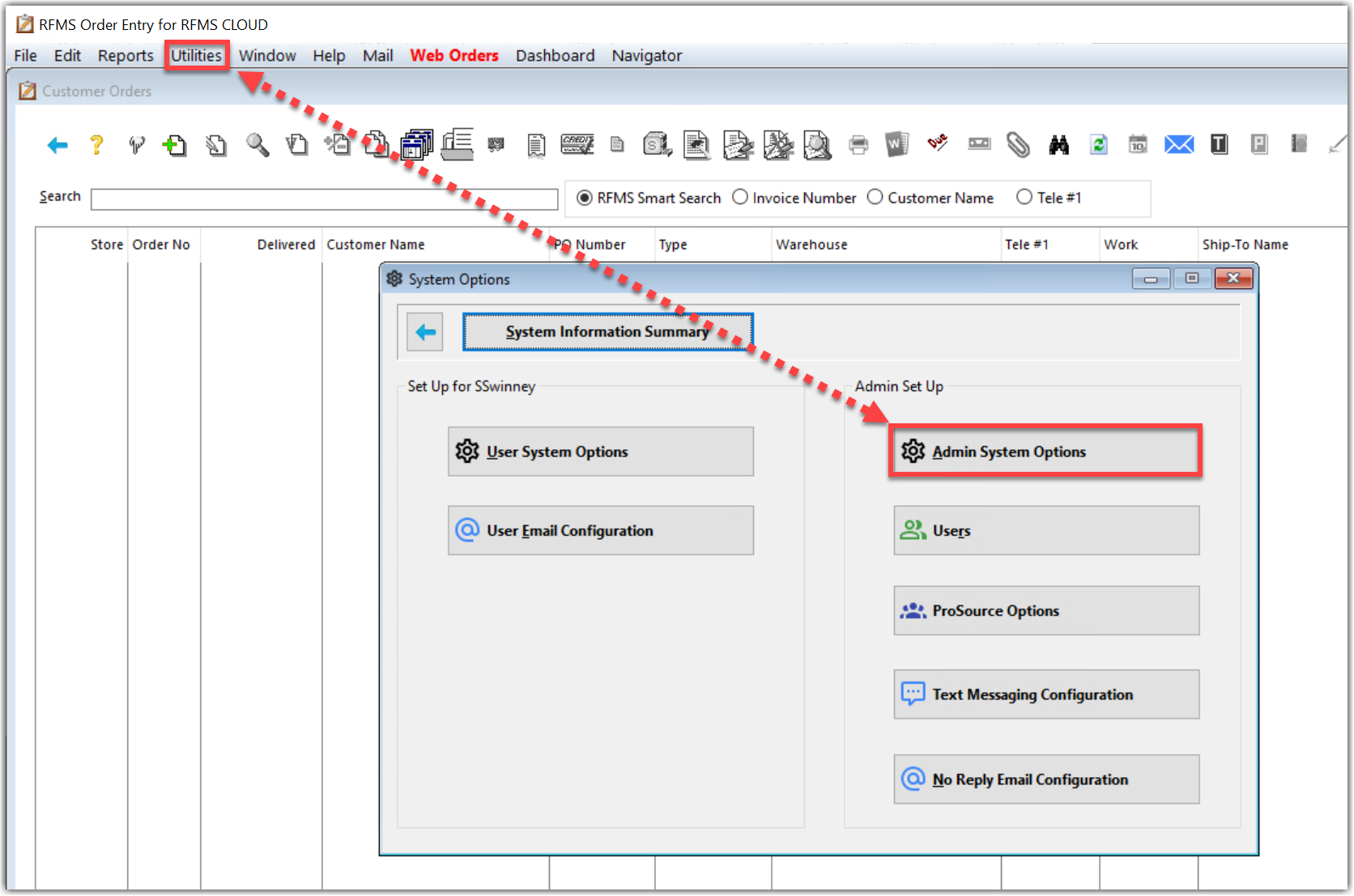
1. Go to Utilities>System Options>Admin System Options
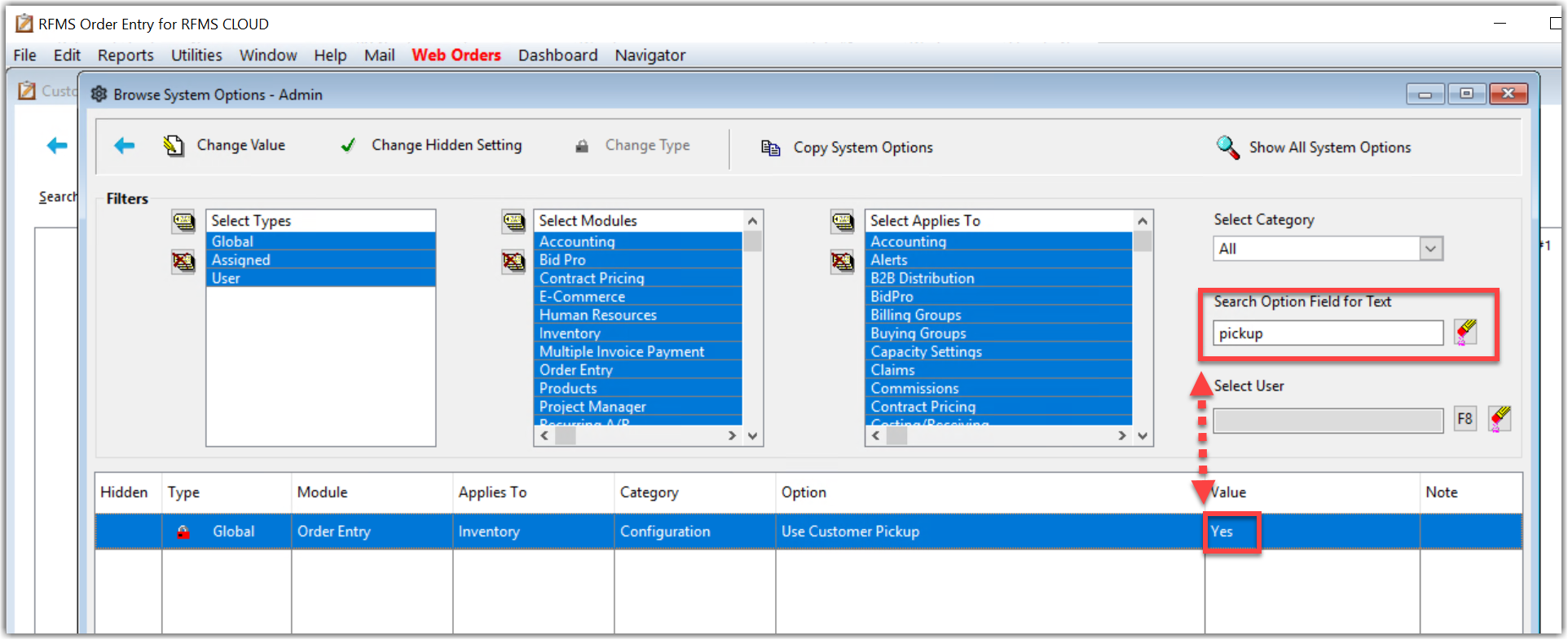
2. Search for "pickup" in the Search Option field. Right click the Value field and select Change Value. This can be a global setting or only for specific users.
Comments
Please sign in to leave a comment.